Installing KiCad Libraries
Overview
You can install KiCad footprint libraries directly from GitHub using the tsci add or tsci install command. This is the easiest way to use existing KiCad footprints in your tscircuit projects, with automatic TypeScript type generation for full IDE support.
Installation
To install a KiCad library from GitHub, use the tsci add command with the repository URL:
tsci add https://github.com/espressif/kicad-libraries
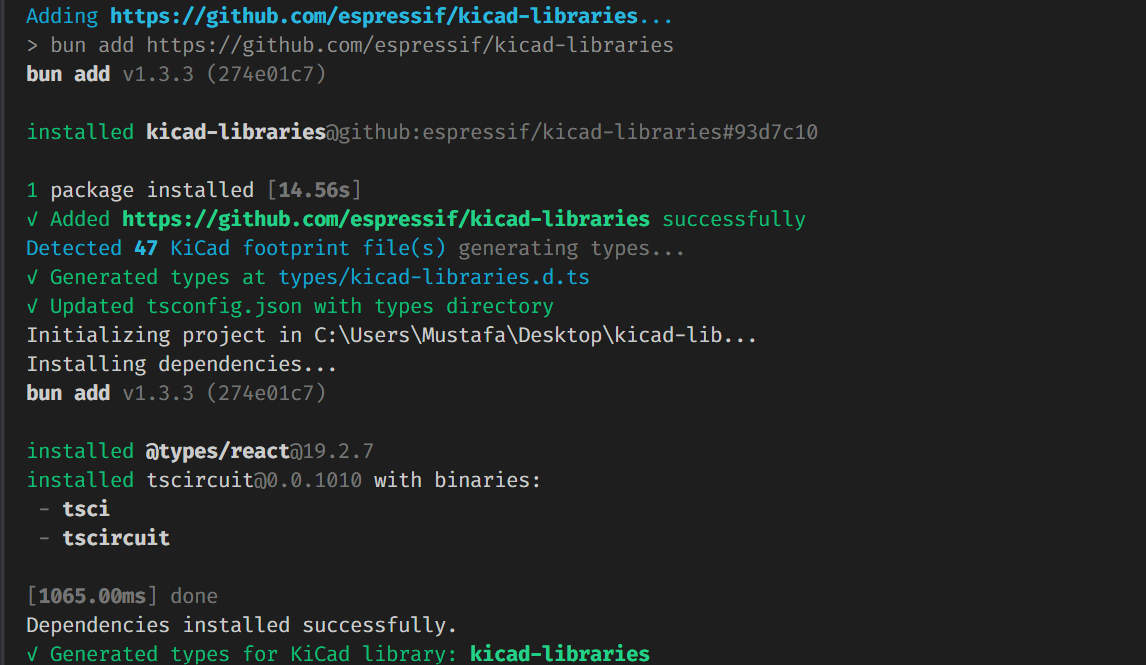
tsci install is an alias for tsci add - both commands work identically.
What Happens During Installation
When you install a repository containing .kicad_mod files, tsci will automatically:
- Add the package to
package.json- The library is added as a dependency - Install in
node_modules- The package is downloaded and installed - Detect KiCad footprints - Scans for
.kicad_modfiles in the repository - Generate TypeScript types - Creates type definitions in
types/<package-name>.d.ts - Configure
tsconfig.json- Adds the types directory totypeRoots
Using KiCad Footprints in Your Circuit
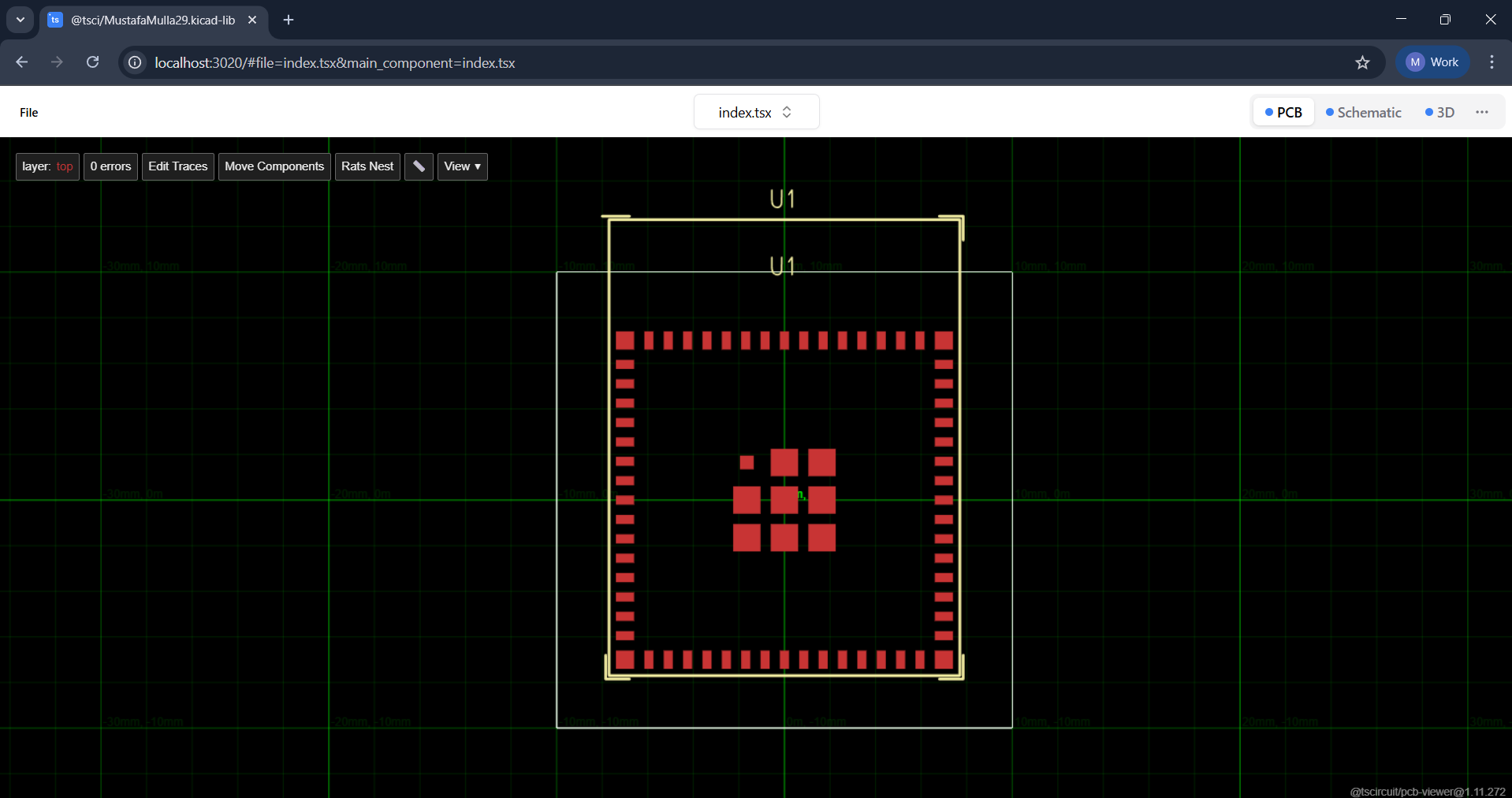
After installation, you can import .kicad_mod files directly in your circuit code:
import kicadMod from "kicad-libraries/footprints/Espressif.pretty/ESP32-S2-MINI-1.kicad_mod"

export default () => {
  return (
    <board width="20mm" height="20mm">
      <chip footprint={kicadMod} name="U1" />
    </board>
  )
}
The imported kicadMod can be used directly as the footprint prop on components like <chip>.
Generated Type Definitions
When you install a KiCad library, tsci creates a type definition file in the types/ directory. For example, installing kicad-libraries creates types/kicad-libraries.d.ts:
declare module "kicad-libraries/footprints/Espressif.pretty/ESP32-S2-MINI-1.kicad_mod" {
  const value: string
  export default value
}

declare module "kicad-libraries/footprints/Espressif.pretty/ESP32-C3-MINI-1.kicad_mod" {
  const value: string
  export default value
}
// ... declarations for all .kicad_mod files in the library
This provides:
- Full TypeScript support - No type errors when importing
.kicad_modfiles - IDE autocomplete - Your editor can suggest available footprint paths
- Import validation - Catch typos in import paths at compile time
tsconfig.json Configuration
The command automatically updates your tsconfig.json to include the types directory:
{
  "compilerOptions": {
    "typeRoots": ["./types", "./node_modules/@types"]
  }
}
If your project doesn't have a tsconfig.json, one will be created with the necessary configuration.
See Also
- Importing from KiCad - Other methods to import KiCad components
- KiCad Footprints - Using KiCad's standard library footprints with the
kicad:prefix - tsci add - Installing tscircuit registry packages